Video Maker
InShot Video EditorVideo Players & Editors
4.843.17K Reviews
- Version
- 1.621.196
- Installs
- 100.00M
- Age Rating
- Everyone
Screenshots
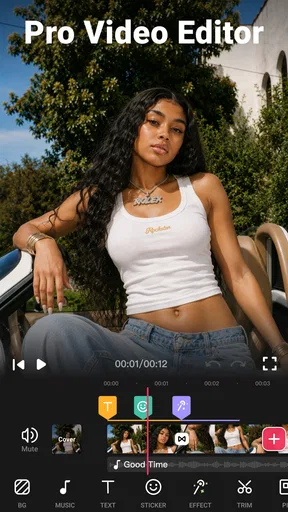
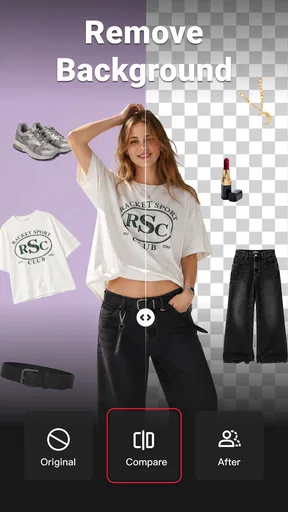
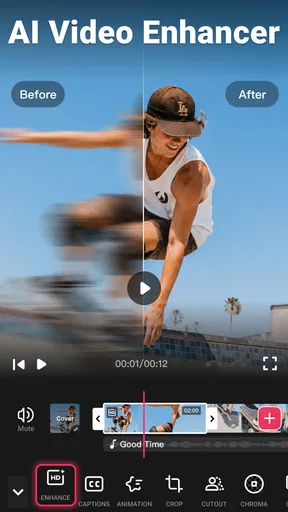
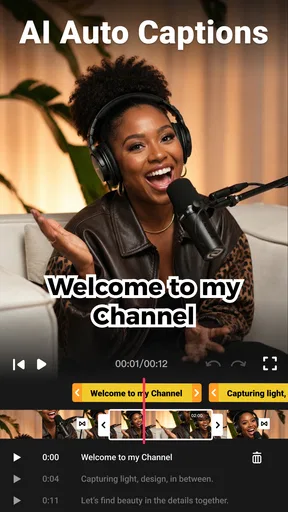
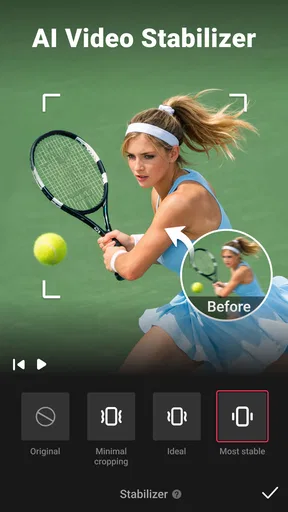
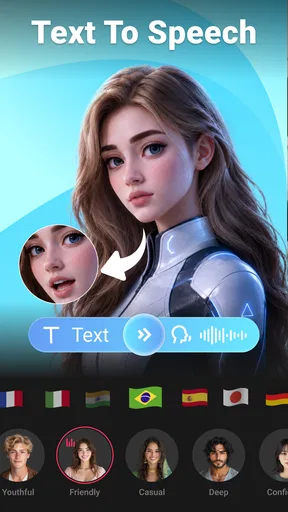
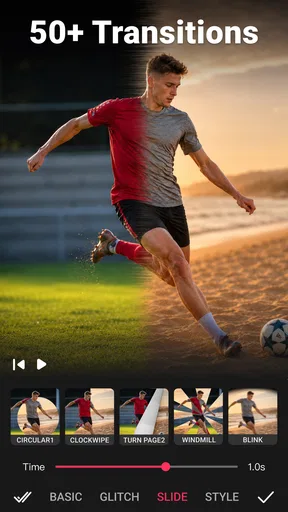
Our Review of Video Maker
 Analysis by Appyee
When a family shares a phone or tablet, video editing can become a small group project: one person picks clips, another suggests music, and someone else wants to add a caption before the video goes out. I like Video Maker for that kind of casual, hands-on task. It gives people a way to shape everyday footage without turning a quick edit into a desktop production session, though shared use works best when everyone is clear about whose files and finished videos they are handling.
A shared screen, with one editor at a time
A realistic use for this app is putting together a short recap after a family outing. I would choose a few clips, trim away the shaky starts, arrange the moments into a simple sequence, and add a title or soundtrack. The appeal is that the editing choices are approachable enough for another person nearby to contribute ideas without needing to know a complicated editing system. Still, I would keep one person in charge of making the actual changes: two people reaching for the same device can easily interrupt a careful trim or lose track of which clip is being adjusted.
For a shared-device routine, I’d agree on a simple handoff before opening a project: who is editing, which footage is being used, and where the finished video should be saved or shared. That is ordinary coordination rather than a special family feature, but it can prevent an accidental post or an edit to the wrong person’s material. If the video is meant for a group chat or social account, I’d also have everyone who appears in it review the final cut first.
Keep account and file boundaries in mind
Video editing is personal in a way that can be easy to overlook. A project may combine private camera footage, someone’s voice, and text that gives context to a moment. On a device used by several people, I would avoid treating the app as a private vault or assuming that one person’s edits are automatically separated from another person’s. Use the device’s normal account and file organization thoughtfully, and make it clear before editing whether the clips belong to the device owner or to the person making the video.
I also recommend keeping an untouched copy of important source clips before experimenting. That gives you room to try a different sequence, crop, filter, or title without worrying that a quick creative decision has replaced footage you wanted to preserve. For a casual montage, this may feel like an extra step; for a school event, family milestone, or one-of-a-kind recording, it is a sensible habit.
Who will enjoy this kind of editing?
This is a good fit for people who want to turn phone clips into a shareable video with a modest learning curve. I’d consider it for a birthday recap, a holiday montage, a short social post, or a simple narrated explanation. The combination of trimming, text, filters, effects, and music gives you several ways to make footage feel deliberate, while the general workflow stays less demanding than a full desktop editor.
It is less suited to someone who needs a highly controlled production pipeline, detailed audio mixing, or a large-screen workflow for complex projects. If you regularly build long videos with many layers and need meticulous control over every element, a more advanced editor is likely a better match. Likewise, if you only want to cut a clip once and never add anything else, the range of creative tools may be more than you need.
Where it sits among video editors
Compared with a phone’s built-in editing tools, this app offers a more creative workspace for combining clips with text, effects, and music. That extra flexibility is useful when a plain trim feels too basic, but it also means you have more decisions to make. Compared with professional desktop software, the mobile approach is easier to pick up for quick social videos, yet it is not the tool I would choose for a project that depends on very fine-grained production controls.
One useful trade-off is to plan the video before adding decoration. I’d first decide on the clip order and remove unusable moments, then add text and effects only where they help the story. That keeps a short family recap from becoming busy and saves time if you later decide to change the sequence. For social posts, I’d also check that captions remain readable on a phone screen rather than relying on a title that looks good only while editing.
Age, trust, and sharing choices
The app is rated Everyone, which makes its general audience broad, but that rating does not replace common-sense supervision when children use a shared device. I would help younger users choose appropriate footage and decide where a finished video is going before they share it. The most important boundary is often not an editing control; it is the choice of what to include and who gets to see it.
For a household, I would treat publishing as a separate step from editing. A child can help pick clips or add a title, while an adult checks the video and handles any public posting. That approach keeps the creative part collaborative without assuming the app itself provides family permissions or account management. If privacy matters, reviewing the content and destination together is more useful than relying on a quick tap through a sharing screen.
I've recently had the chance to dive into the world of Video Maker, and let me tell you, it's like having a mini film studio right in your pocket. If you're anything like me, you probably love capturing moments on your phone, but often wish you could edit them into something more polished. Well, this app might just be your new best friend.
Getting Started
First things first, downloading Video Maker was a breeze. Whether you're on Android or iOS, a quick trip to the app store and you're ready to roll. The app opens up to a sleek, user-friendly interface that won't overwhelm you with too many options at once. It's perfect for both beginners and those who might be more seasoned in video editing. The app guides you through a quick tutorial, which I found super helpful, especially when getting familiar with all the features.
Features That Shine
What really sets Video Maker apart is its vast array of features. You've got everything from basic trimming to advanced effects. Here's a little breakdown of some of my favorites:
- Transitions and Effects: These are super easy to apply and give your videos a professional touch. The variety is impressive, with options that fit any mood or theme.
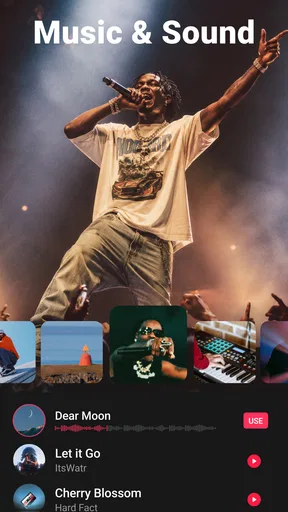
- Music Library: Adding a soundtrack can make a world of difference. The app offers a great selection of royalty-free music, or you can upload your own tunes if you prefer.
- Text and Titles: The ability to add text is a game-changer for storytelling. You can customize fonts, colors, and animations to make them pop.
- Filters: From vintage vibes to modern flair, the filters available can transform your footage with just a tap.
The Editing Experience
Editing with Video Maker feels intuitive. The timeline is straightforward, allowing you to drag and drop elements with ease. I found the precision controls, like trimming and splitting clips, to be particularly useful when fine-tuning my videos. The app also supports HD export, so your final product looks crisp and clean.
One feature I didn't expect but absolutely loved was the voiceover option. It's perfect for adding personal commentary or narrating a story, and the quality is surprisingly clear.
Sharing Your Masterpieces
Once you've got your video just right, sharing it is a snap. Video Maker integrates seamlessly with all major social media platforms. Whether you want to post directly to Instagram, Facebook, or YouTube, the app handles it without a hitch. Plus, if you're a bit of a perfectionist like me, the app lets you save projects to edit later before making them public.
Final Thoughts
All in all, Video Maker is a robust app that caters to both novices and experienced editors. Its combination of powerful features and ease of use makes it a standout choice for anyone looking to elevate their video editing game. I found myself getting lost in the creative possibilities, and with every new project, I discovered something new to enhance my videos.
If you're on the hunt for a video editing app that's both accessible and packed with features, give Video Maker a try. Who knows? You might just unlock your inner filmmaker!
What to know before installing
Video Maker is a free video-editing app from InShot Video Editor, with in-app purchases ranging from $2.99 to $59.99 per item. I’d treat the free starting point as a chance to test whether its workflow suits you, rather than assuming every tool or option will be included without a purchase. If you are setting it up on a shared device, it is worth agreeing in advance before anyone buys an item or starts a trial-like offer; purchases should be a deliberate choice by the account holder.
The app has a 4.8 average from around 3 million ratings, and it has passed 100 million installs. Those figures suggest it is a well-established choice, but popularity does not guarantee that its editing style will suit every person. The current version is 1.601.190 and it requires Android 8.0 or later. It was released on December 18, 2017, so this is not a new arrival, though I would still check device compatibility before planning a project around it.
A practical workflow for better results
For a short clip that will be watched without sound, I would prioritize clear text and a strong opening image over a music choice. For a narrated family update, I’d record the voiceover after arranging the clips, so the commentary follows the actual sequence rather than forcing the visuals to fit an early script. These small choices make a bigger difference than stacking on effects, especially when the video is meant to be understood quickly on a phone.
Music also deserves a little care. Even if a soundtrack is available in the app, the destination matters: a track that works for a private family viewing may not be appropriate for every public post. I would preview the whole video before exporting, checking that the music does not overpower speech and that titles stay on screen long enough to read. A quick full playback catches awkward cuts that are easy to miss while jumping around a timeline.
For a project that may need revisions, I’d keep the edit simple until everyone has approved the story and captions. Adding decorative effects early can make later changes feel more laborious, particularly if you decide to remove or reorder a clip. Once the sequence is settled, use effects and filters selectively so they support the mood instead of making different moments look inconsistent.
Choosing it for your household
The strongest household case is a shared creative activity with a clear owner for the final file: a parent and child making a recap, siblings assembling clips for a celebration, or one person editing while others suggest captions. The app’s approachable format can make those moments enjoyable without asking everyone to learn a complicated editor. I would still keep private footage and public sharing decisions in the hands of the person responsible for the device or account.
For a household that mostly wants to watch videos rather than make them, this is not the right kind of app; it belongs among video players and editors, but its practical value here is creation and editing. If your priority is simply trimming a clip with no overlays or soundtrack, the built-in editor on your phone may be faster. If you want creative options in a mobile workflow, however, this is a reasonable middle ground between a barebones crop tool and professional editing software.
My household verdict is that Video Maker works best when the goal is a short, personal video and the people using the device have agreed on who edits, who approves, and where the result goes. Its broad age rating and straightforward approach make it approachable, but they do not replace supervision, consent, or careful sharing. I’d recommend trying it for informal projects, while choosing a more specialized editor for intricate productions or relying on a simpler tool for one-off trims.
Verdict
Strengths of Video Maker
- User-friendly interface for quick editing.
- Wide range of filters and effects.
- Supports multiple video formats.
- Fast export without quality loss.
- Frequent updates with new features.
Limitations of Video Maker
- Some features require in-app purchases.
- Watermark on free version exports.
- Limited transitions in the free version.
- Occasional crashes with large files.
- No 4K export in basic version.
Other Releases by InShot Video Editor
View All
Video Editor & Maker - InShot
Photography4.8

Video Editor, Maker -VideoCook
Video Players & Editors4.8

YouCut - Video Editor & Maker
Video Players & Editors4.8
Similar Picks in This Category
View All
Google TV
Google LLC3.9

iTunes
Apple4.7

YouTube
Google LLC3.8

MX Player
Amazon Mobile LLC4.2

CapCut - Video Editor
Bytedance Pte. Ltd.3.5

PLAYit-All in One Video Player
PLAYIT TECHNOLOGY PTE. LTD.4.5
Frequently Asked Questions
What features does Video Maker offer for editing videos?
Video Maker provides a comprehensive suite of editing tools, including trimming, splitting, merging, and adding music or text overlays. Users can apply filters, transitions, and effects to enhance their videos. The app also supports multi-layer editing, which allows for more complex projects, catering to both beginners and advanced users.
Is Video Maker suitable for professional video editing?
While Video Maker is primarily designed for casual users, it includes features that can satisfy the needs of semi-professional editors. The app's multi-layer editing, high-quality export options, and a wide range of customizable effects make it versatile enough for more serious projects. However, it may lack some advanced features found in dedicated professional software.
Can I export videos in high definition using Video Maker?
Yes, Video Maker supports exporting videos in various resolutions, including high definition (HD) and full high definition (FHD). This ensures that your videos maintain great quality when shared on social media platforms or other mediums. The app also provides options for optimizing video settings for different platforms.
Does Video Maker offer any in-app purchases or subscriptions?
Video Maker is a free app with optional in-app purchases and subscription plans. These purchases typically unlock premium features such as additional effects, transitions, and editing tools. Subscriptions may also remove ads and offer cloud storage options for easier project management. Users can decide based on their editing needs.
Is Video Maker easy to use for beginners?
Video Maker is designed with user-friendliness in mind, featuring an intuitive interface that guides users through each step of the editing process. Tutorials and tips are available within the app to help newcomers understand the features and tools. This makes it a suitable choice for those new to video editing.
